

Create an API key
To create an API key:- Sign in to Sterndesk.
- Go to Settings → My account → API Keys.
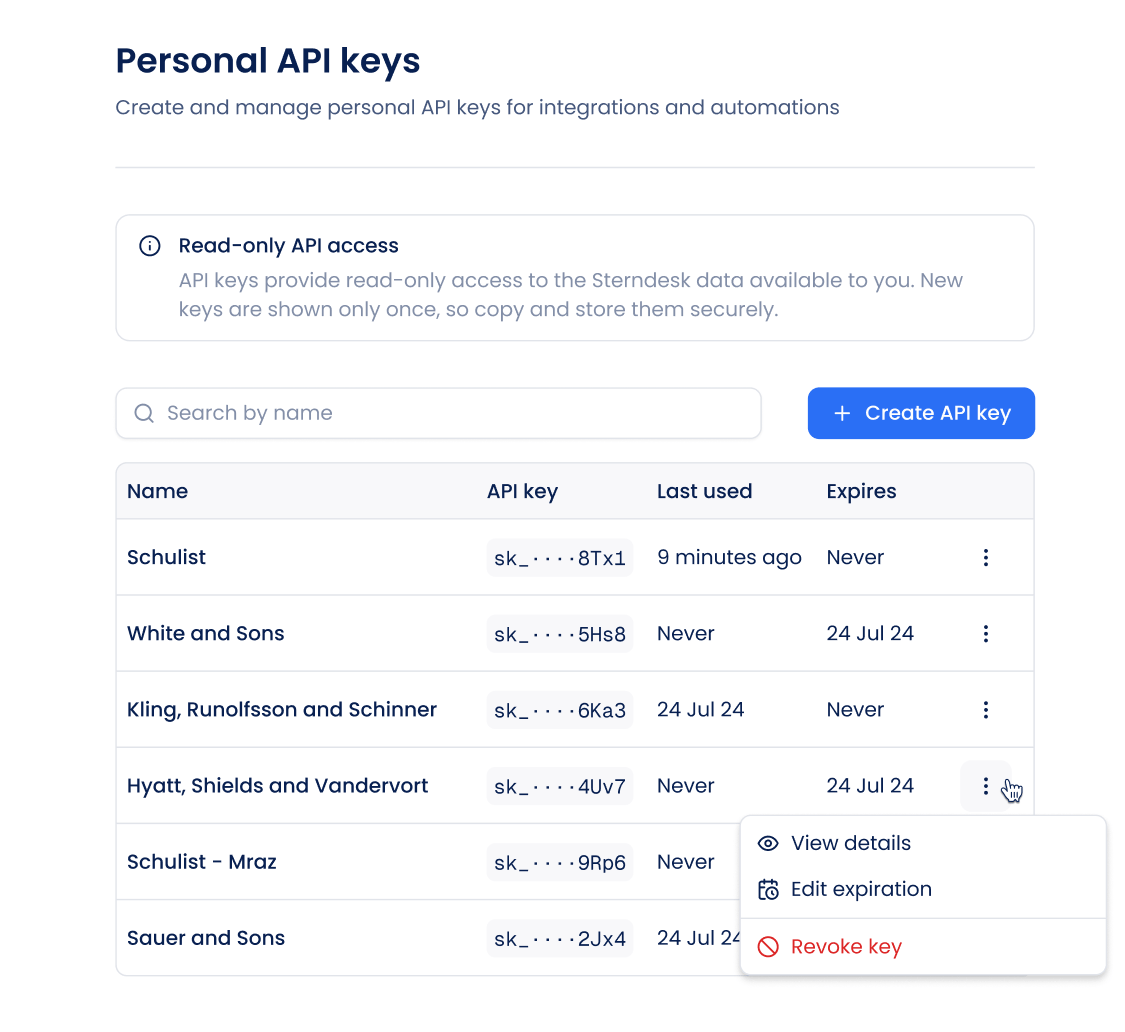
- Click Create API key.
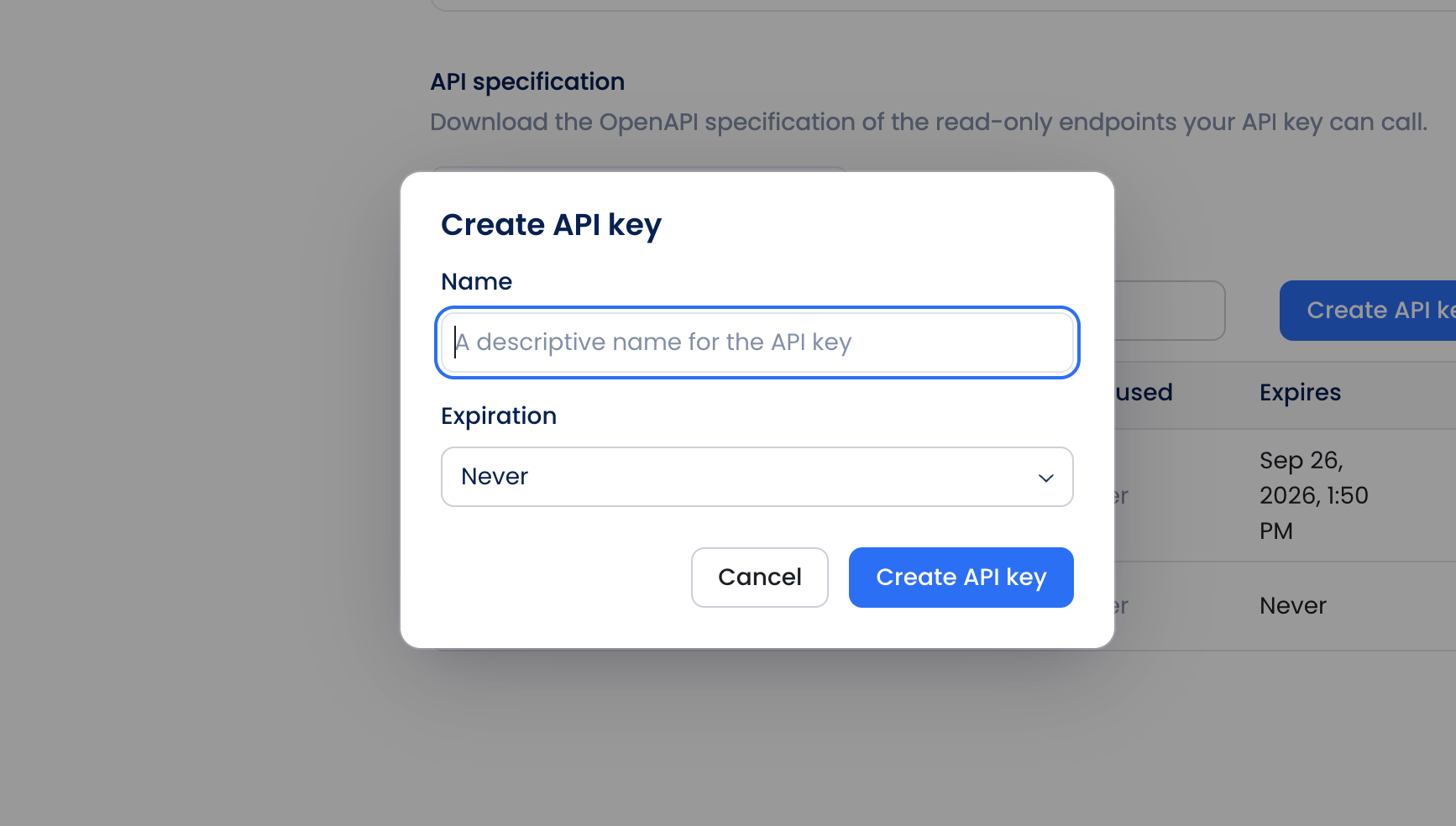
- Enter a descriptive name for the key.
- Configure its expiration.
- Select the permissions required by your integration.
- Create the API key.
- Copy and securely store the key.
Important
Your API key is shown only once. You won’t be able to view the full key again after closing the dialog.
Your API key is shown only once. You won’t be able to view the full key again after closing the dialog.
Authenticate requests
Send your API key as a bearer token in theAuthorization header:
Permissions
Permissions determine which operations an API key can perform. Select the permissions your integration needs when creating the API key. Most available API operations provide access to Sterndesk data. Operations that modify data may require an additional permission. For example, uploading candidate documents requires:API key security
Treat API keys like passwords. To keep your keys secure:- Don’t expose API keys in client-side applications.
- Don’t include API keys in public source code.
- Don’t commit API keys to Git repositories.
- Use environment variables or a secrets manager to store keys.
- Use separate API keys for separate integrations when appropriate.
- Revoke keys that are no longer needed.
- Revoke a key immediately if you believe it has been exposed.